Overview of tutorial models
In order to setup a model using ShorleineS code, The user should have MATLAB or Octave installed.
Using the below link, the ShorelineS model code and examples can be downloaded: link:
To make the setup of basic models easier, making a ShorelineS model is supported by 2 open source available options:
Graphical User Interface (GUI) to make ShorelineS models interactively: ‘Delft Dashboard’ –Under Develeopment
Matlab scripts toolbox in the ‘Open Earth Toolbox’
If you need a more tailor-made solution for setting up your ShorelineS models get in touch with us!
Open Earth Tools
For getting started with Open Earth Tools see: https://publicwiki.deltares.nl/display/OET/OpenEarth To make the functionality available, run the function oetsettings.
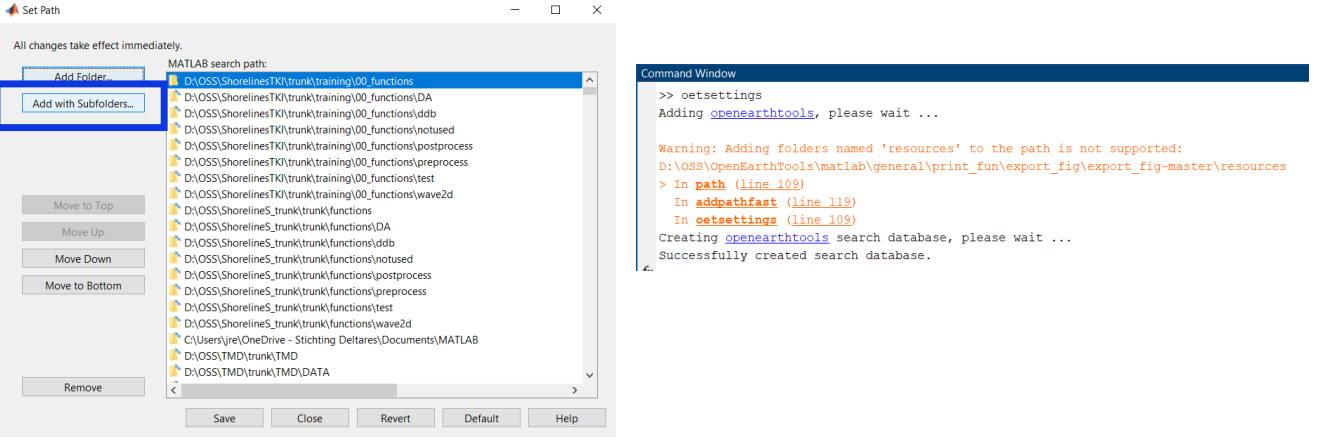
Setting the functions path and running the oetsettings through the command line of MATLAB